Why Core Web Vitals are Critical for SEO & User Experience in 2025
Core Web Vitals are critical for seo, website visitors expect pages to load fast, be smooth to interact with, and remain visually stable during browsing. Delays, layout jumps, or slow responses frustrate users, increase bounce rates, and ultimately cost businesses. That’s where Google Core Web Vitals come in — they are the yardstick for modern web performance and user experience.
What Are Core Web Vitals Metrics
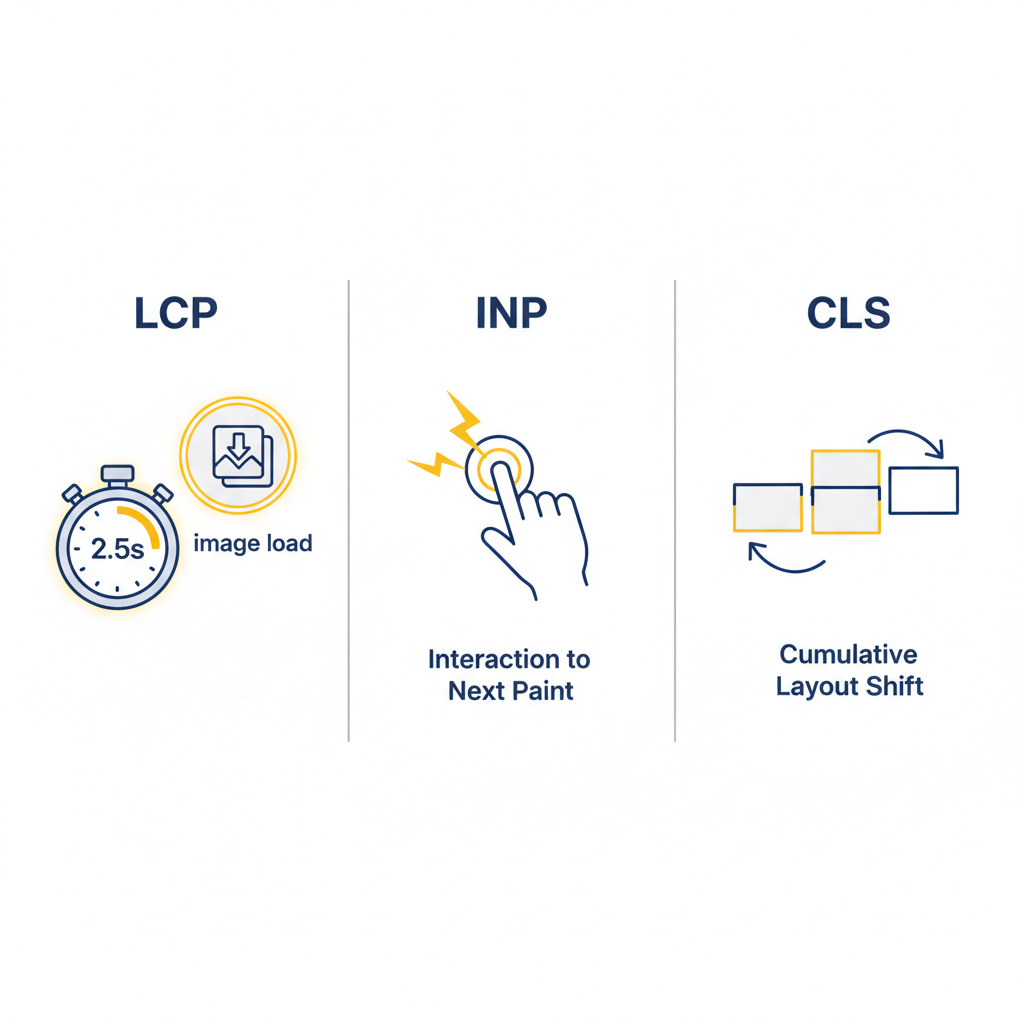
Google’s Core Web Vitals are a set of specific metrics that measure three key aspects of real user experience:
- Largest Contentful Paint (LCP)
This measures how quickly the largest visible element (e.g. image, video, block of text) renders within the viewport. A fast LCP signals to users that the page is useful soon. - Interaction to Next Paint (INP)
This metric replaced FID (First Input Delay) in early-2024. It captures how quickly the site responds to user interactions (click, tap, keyboard, etc.). Good responsiveness boosts perceived quality. - Cumulative Layout Shift (CLS)
This measures the visual stability of a page. If elements shift around unexpectedly (images loading late, ads being injected, fonts replacing fallback fonts), it hurts trust and causes bad UX.
Why They Matter
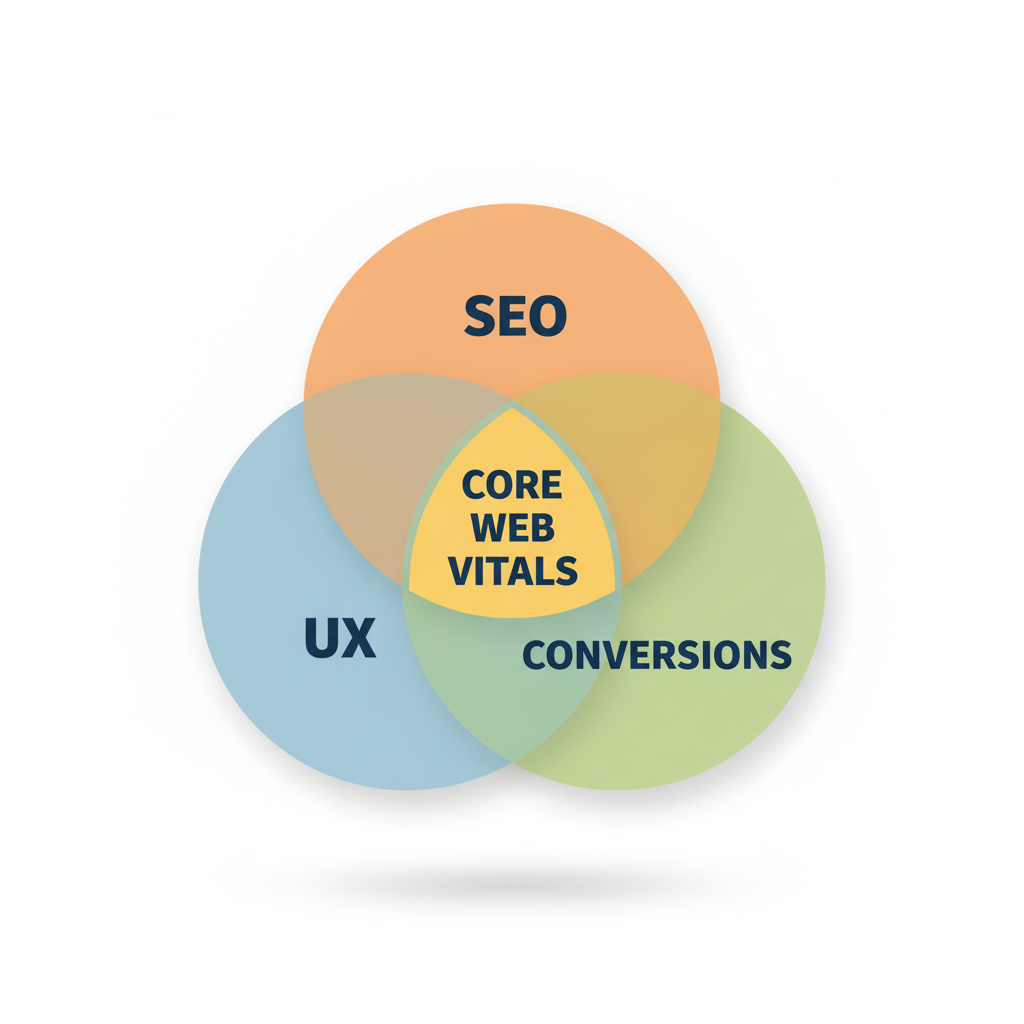
- User experience (UX): Fast, stable, responsive pages keep users engaged, reduce frustration and bounce.
- SEO & rankings: Google includes Core Web Vitals as part of its page experience signals. Pages that meet “good” thresholds are more likely to perform well in search results. Google for Developers+2Adobe Business+2
- Business impact: Better CWV metrics often translate to higher conversion rates, greater user retention, longer session durations.
Measuring Core Web Vitals
To understand how your site is performing, you need to measure the metrics using reliable tools:
- Google Search Console – Core Web Vitals report: uses real-world data (field data) to show how your URLs are doing (Good / Needs Improvement / Poor). Google Help
- PageSpeed Insights: gives both lab and field data, and suggestions for improvement.
- Lighthouse & Chrome DevTools: for lab testing — good for debugging.
- Real User Monitoring (RUM) Tools: track performance in actual usage contexts (different devices, networks).
Benchmarks & Thresholds
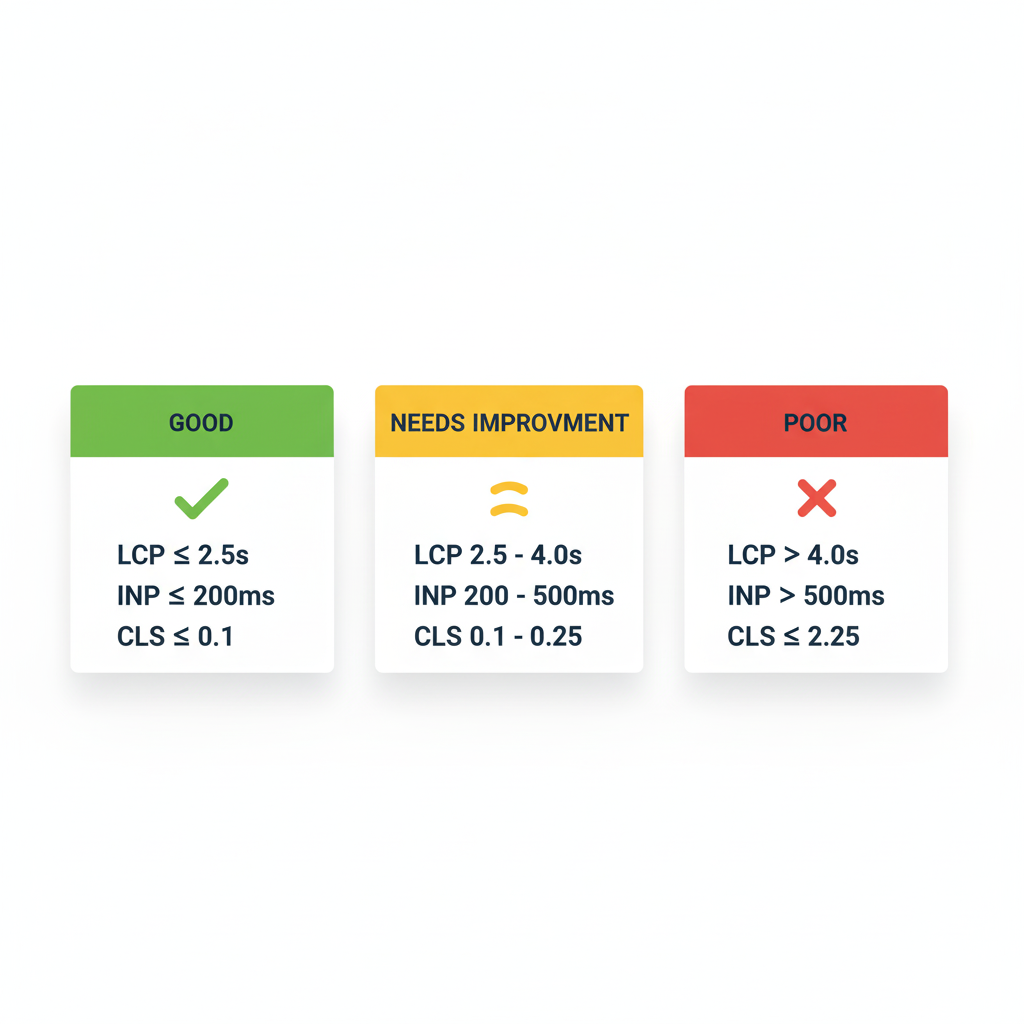
Here’s the baseline you should aim for to be considered “good” by Google:
| Metric | Good Threshold |
| LCP | ≤ 2.5 seconds Google for Developers+1 |
| INP | ≤ 200 milliseconds Google for Developers+1 |
| CLS | ≤ 0.1 Google for Developers+1 |
Failure to meet these thresholds may not immediately kill your rankings, but they make it harder to compete, especially in competitive niches.
Common Issues & How to Fix Them
| Problem | Likely Cause | Solution |
| Slow LCP | Heavy resources (images, videos), slow server response, render-blocking CSS/JS | Compress media, lazy load, use optimized image formats, improve server / cache, remove unnecessary render-blocking scripts |
| Poor INP | Long JavaScript tasks, heavy main thread usage | Split tasks, debounce/throttle events, use Web Workers, reduce dependency on large libraries |
| High CLS | Lack of dimension attributes on media, late-injected content (ads, embeds), fonts swapping | Reserve space for images/ads, avoid inserting content above existing content, use font loading strategies |
Real-World Examples & Data
- Many sites improved LCP from 4+ seconds to ~2 seconds and saw bounce rates drop by 20-40%. nitropack.io
- CLS improvements often result in higher engagement because users trust content more when the page doesn’t jump around.
- Trend: as INP replaced FID, more developers now focus on responsiveness across the life of the page, not just the first interaction.
Best Practices & Ongoing Maintenance
- Audit your site regularly — both lab (during development) and field (real users).
- Build performance budgets (max size for images, max time for JS, etc.).
- Prioritize mobile experience—many users access via slow networks.
- Use modern image formats (WebP, AVIF), lazy loading.
- Optimize CSS, avoid blocking, use critical CSS.
- Monitor after each major feature update — new JS or UI changes may degrade metrics.
Conclusion
In today’s web ecosystem, Core Web Vitals are non-negotiable. They bridge the gap between technical performance and user perception. By understanding, tracking, and optimizing LCP, INP, and CLS, you don’t just improve your SEO rankings—you build experiences that users like, come back to, and recommend.
If you haven’t yet, run an audit of your website today. Identify weak spots in your Core Web Vitals, prioritize fixes, and make performance part of your development DNA.
FAQ
Q: Does improving Core Web Vitals guarantee higher Google rankings?
A: Not guarantee — CWVs are one of many ranking signals. But failing to meet them makes it hard to compete. Good CWVs give you a fair shot, especially in competitive categories.
Q: What is the difference between lab data and field data?
A: Lab data comes from simulated environments (controlled device, network), useful for debugging. Field data (“real user data”) reflects how actual users experience your site — more important for Core Web Vitals.
Q: When did INP replace FID, and what’s the difference?
A: INP replaced FID in early 2024 as the responsiveness metric. FID only measured the first user interaction; INP measures responsiveness across multiple interactions during the lifecycle.
Q: How often should I check my Core Web Vitals?
A: Regularly — monthly or after changes. Also monitor always via RUM tools. If you add new features / redesign parts, test again.
Q: Are Core Web Vitals only important for Google & SEO?
A: No. They matter for users. Poor CWVs directly hurt engagement, trust, and conversion. So while Google factors them in, the business benefit goes beyond rankings.